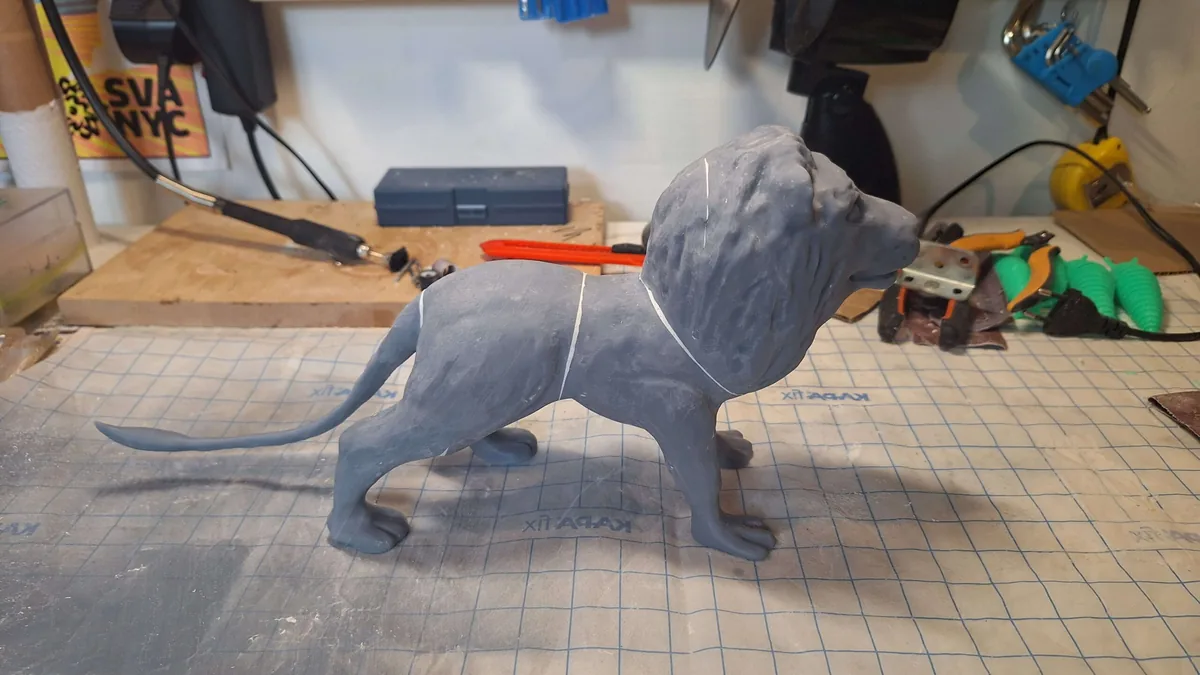
What Is 3D Modeling and When Do You Need It?
 Polywerk3D
Short answer: 3D modelling is creating a three-dimensional digital model on a computer. The model describes an object's shape, dimensions and surface, and it's the basis for 3D printing, manufacturing, visualisation and animation. You need it whenever you want to turn an idea into a physical object or a photorealistic image — both start with a finished 3D model.
What is 3D modelling?
3D modelling means building an object in three-dimensional software: you define the exact shape, dimensions, wall thickness and surface. The result is a digital file you can print, send to manufacturing, or turn into a realistic render. It's the invisible first step behind every physical product and every 3D visual.
When do you need 3D modelling?
You need a 3D model when you want to:
- 3D print a new product but don't have a ready file yet;
- recreate a spare part or custom component that's no longer made;
- get photorealistic product images for a shop or ads without a physical prototype;
- fix, resize or make an existing model print-ready;
- develop a game, animation or visualisation.
CAD, polygon mesh and digital sculpting — which method, when?
3D models are made in different ways depending on the goal. The right method decides how well the model works later:
- CAD modelling — precise mechanical parts to the millimetre. Choose this if you're designing a functional part, something for manufacturing, or a piece that must fit another exactly.
- Polygon modelling (Blender, Maya) — a flexible method for products, environments and game assets. Choose this if the form is freer and detail matters more than millimetre precision.
- Digital sculpting (ZBrush) — organic forms, characters and high detail. Choose this if you're making a sculpture, figure, relief or natural surface.
In practice we often combine them. Whatever the method, we always keep clean topology so the model is easy to edit and prints correctly.
How a 3D model is made (step by step)
- Brief — an idea, sketch, photo, drawing, dimensions or an existing file. The clearer the input, the faster the result.
- Modelling — we build the model, refine dimensions and proportions, and share progress shots to confirm the direction.
- Finishing — wall thickness, textures, materials, and prep for either printing (watertight, print-ready) or rendering.
- Handover — we send the files in the right format with a preview and, if needed, print or manufacturing recommendations.
What makes a good 3D model?
A nice picture on screen doesn't mean the model is usable. A good 3D model is:
- watertight — a closed surface with no holes, or it can't be printed;
- clean topology — a tidy mesh that's easy to edit and won't cause print errors;
- correct wall thickness — too thin snaps, too thick wastes material and time;
- the right scale and units — mm vs cm confusion is one of the most common mistakes;
- within the printer's build volume or sensibly split into parts.
These are exactly the things we check for you — so the model reaches a clean print the first time.
What file formats do you get?
We deliver files to suit the need:
- STL and 3MF — for 3D printing;
- STEP and IGES — for manufacturing and CAD collaboration;
- FBX and glTF — for game engines and web display;
- OBJ and Blender source files — for further work;
- PNG, TIFF or EXR — finished renders.
How long does 3D modelling take?
It depends on complexity. A simple part or spare can be ready in a day; product or character design usually takes a few days to a week, including revisions. We always give a concrete time estimate before we start, so you know what to expect.
How to prepare: what to send us
The project goes faster with as much input as possible:
- a description or sketch (hand-drawn is fine);
- photos from several angles if we're recreating an existing object;
- key dimensions (at least overall size);
- where and how the object will be used (print, manufacturing, visual);
- references or examples of a style you like.
You don't need all of it — an idea is enough; we'll refine the rest together.
Common mistakes and how to avoid them
- Wrong scale — always check units (mm) before printing.
- Walls too thin — for FDM printing leave at least ~1 mm.
- Holes in the surface — the model must be closed, or the slicer won't work properly.
- Excessive detail — the printer or end use may not convey it; keep the model fit for purpose.
3D modelling vs 3D printing
The two often go together but aren't the same. 3D modelling is creating the model; 3D printing is physically printing it. A project often starts with modelling and ends with a print — we offer both under one roof, so your idea reaches a finished product without middlemen. If you already have a model, get the price instantly from our instant quote.
How much does 3D modelling cost?
3D modelling starts at €43/hour (incl. VAT). For well-defined projects we offer a fixed total price. We always give a time and price estimate before starting, so there are no surprises.
Frequently asked questions
Do I need to know 3D software myself? No. An idea, sketch or photo is enough — we do the rest.
Can you fix or change an existing model? Yes — send the file and tell us what needs adjusting.
Will the model be print-ready? Yes — if the goal is printing, we prepare it watertight and with correct wall thickness.
Do you print it too? Yes, the whole way from idea to finished product under one roof.
Let's start your project
Whether you have a finished idea, a sketch or an old file to fix — get in touch and let's talk about turning your idea into a 3D model. See our 3D modelling and design service in Tartu, or if you already have a model, get the printing price instantly.